
Operational hierarchy
Tenants, sites, buildings, shifts, staff, and permissions stay organized in one clear structure built for real account operations.
BuildingControl centralizes operational structure, staffing, recruiting, schedules, time tracking, manager visits, and work orders in a single internal platform built for how Evergreen actually runs.
BuildingControl gives Evergreen one internal environment to manage account structure, staffing coverage, field activity, service execution, and operational follow-up. The value is not in isolated modules. The value is in how every stage connects.
Tenants, sites, buildings, shifts, staff, and permissions stay organized in one clear structure built for real account operations.
Manage recruiting, onboarding, assignments, schedules, and time capture without splitting the process across disconnected tools.
Supervisors and managers can monitor visits, staffing gaps, open positions, active schedules, and field execution from one place.
The interface is intentionally clean and operational. Each surface focuses on a different control point: portfolio visibility, field supervision, and individual staffing context.
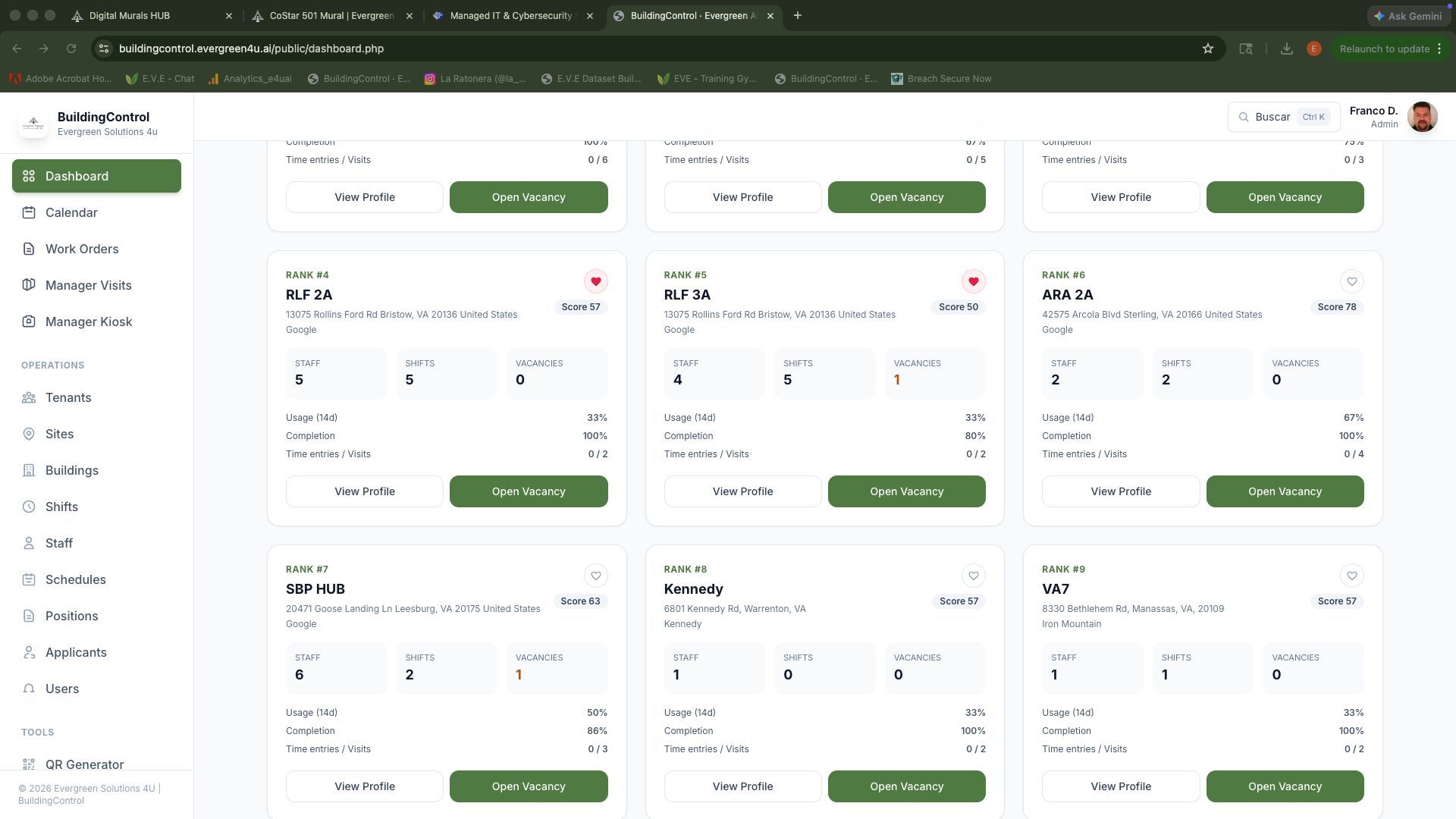
BuildingControl turns the property portfolio into a working control panel. Instead of browsing disconnected records, teams can quickly understand which buildings need attention and which locations are operating cleanly.
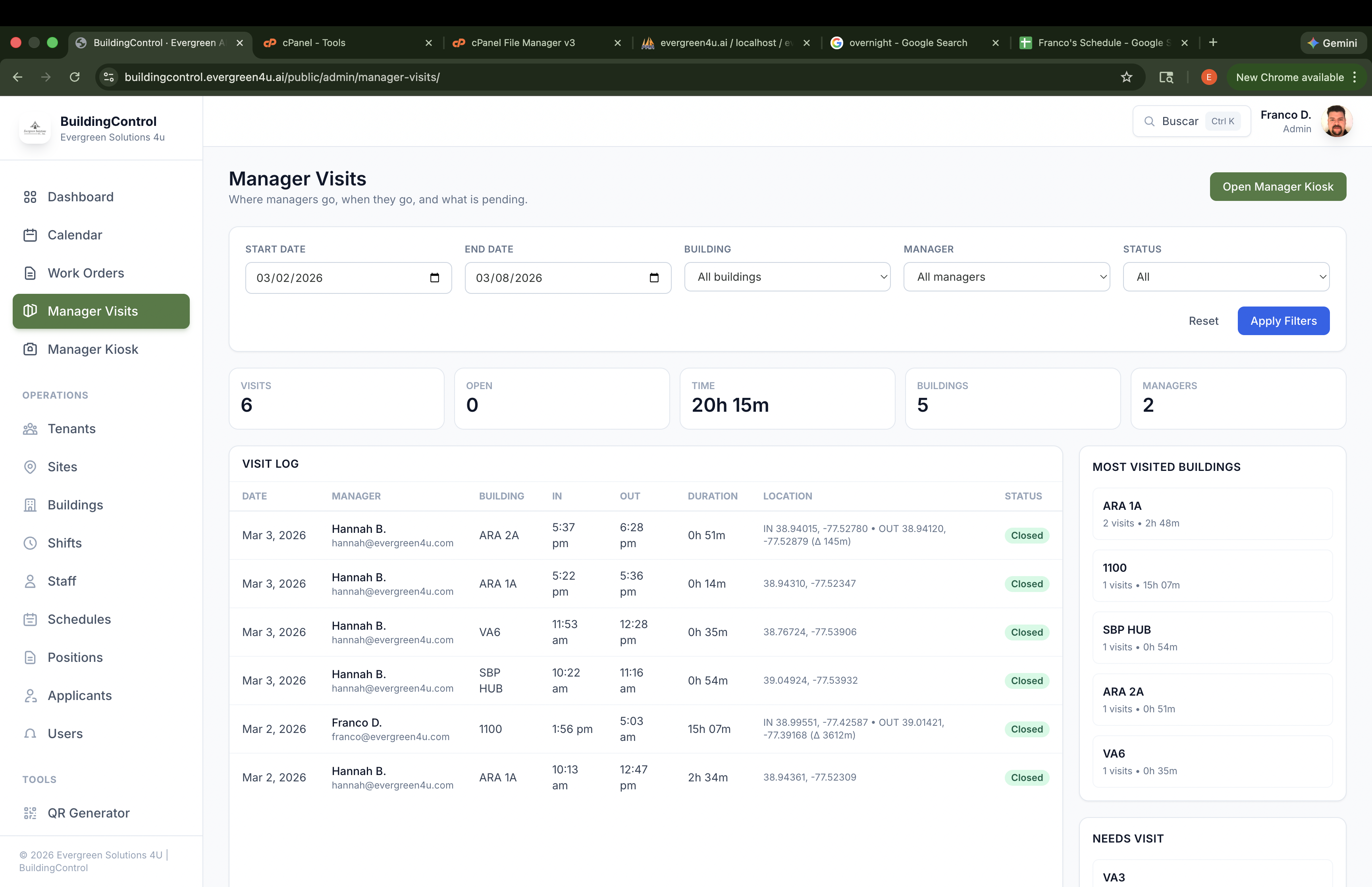
Manager Visits adds a real operational control layer. The platform records visit windows, filters the activity, and helps leadership understand where attention is being spent and where presence is still missing.
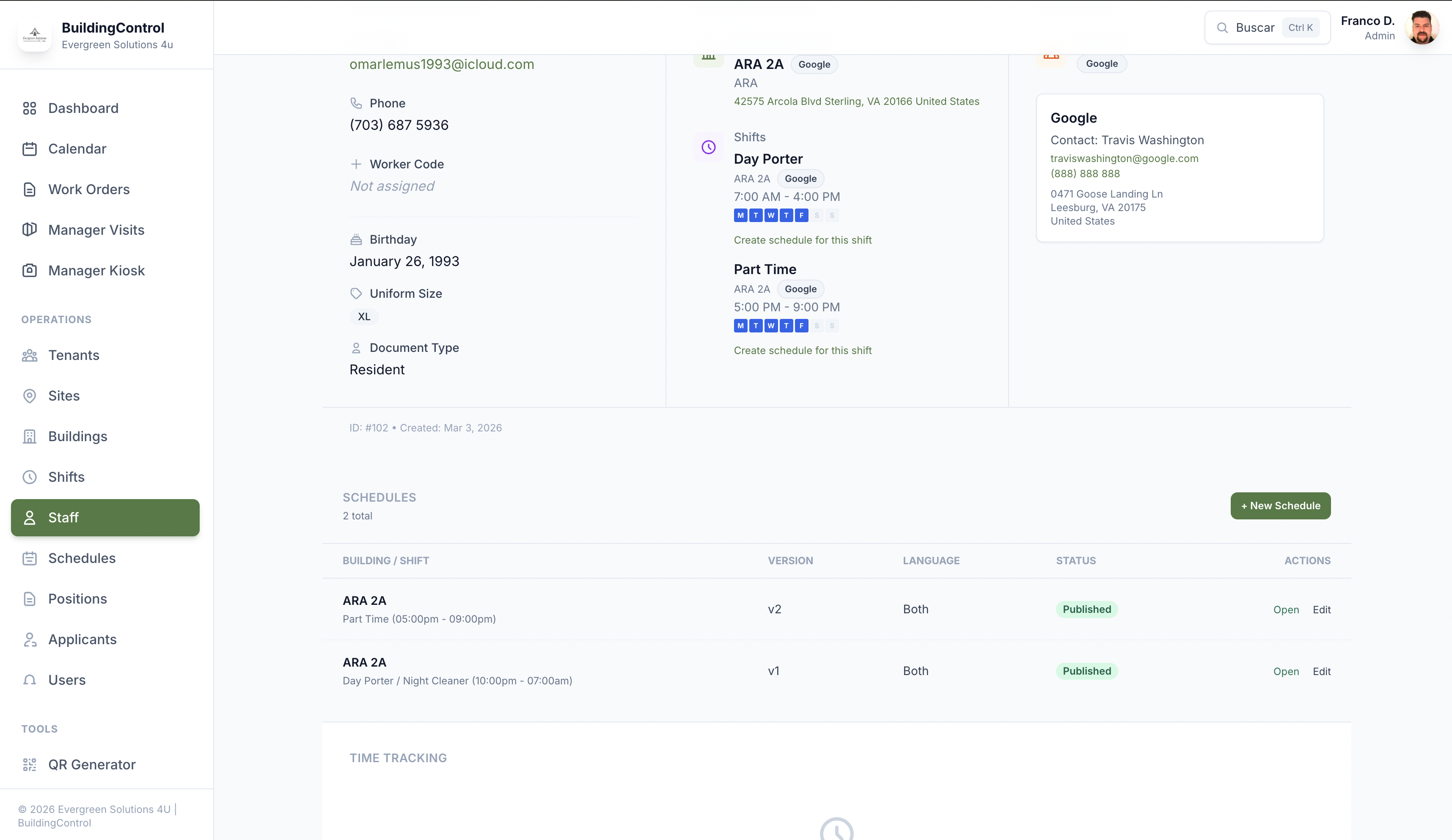
Staffing is not just a list of people. BuildingControl ties the worker to buildings, shifts, schedules, status, and operational history so teams can act from context instead of assumptions.
BuildingControl connects the commercial structure, the workforce layer, daily field supervision, and service execution. That is the core reason the product matters internally.
Create tenants, sites, and buildings with the right relationships, scope, and internal visibility.
Assign people to shifts and buildings, maintain profiles, and keep staffing aligned with real coverage needs.
Move candidates from public job interest and invitations into onboarding and active staff records.
Capture worker time, monitor manager visits, and create a better record of onsite operational activity.
Generate standardized schedules, document service work, and give operations a stronger follow-up layer.
The landing should present the product as one cohesive system, but these are the modules that define its current operational scope.
Organize client accounts, locations, and properties with the right hierarchy for internal operations.
Maintain profiles, building relationships, multi-tenant context, and assignment visibility.
Manage shift structure and generate detailed schedules with versioning and publishing states.
Capture clock-ins, clock-outs, breaks, and reporting data for operational review.
Register visit activity, record presence, and review open or completed field supervision.
Publish jobs, track applicants, and connect recruiting to actual staffing workflows.
Create, price, review, and export work orders with internal cost and approval logic.
Limit visibility by user, role, and tenant to keep the platform aligned with real operational responsibilities.
This page introduces the platform. The live system remains private and is intended for authorized Evergreen users only. Use the main access button to continue into the internal environment.